.png)
.png)
.png)
.png)

09-052026
DreamSource Technology Group to Exhibit at the 140th Canton Fair 2026
DreamSource Technology Group to Exhibit at the 140 ...
National Day Holiday Notice & Warm Blessings | Dre ...
Mid-Autumn Festival Holiday Arrangement
DreamSource Technology Group to Exhibit at the 140 ...
Are interactive whiteboards and interactive flat p ...
Bangladesh Customer Visits DreamSource to Explore ...
Dreamsource Technology Glory Moment | Recognize Ou ...
Why are standard domestic televisions more prone t ...
Clear Cache: Prolonged operation can lead to insuf ...
Check Cables: Verify whether the internal or exter ...
Yes. By utilizing the configured content managemen ...
Dear valued global customers and partners,
As China’s National Day approaches, Dreamsource Technology would like to extend our sincere gratitude and warmest holiday wishes to every client and partner around the world. Thank you for your continuous trust, long-term cooperation, and consistent support for our brand and products throughout the year.
To celebrate the National Day holiday, we are pleased to announce our official holiday schedule. Our company and factory will be closed from October 1 to October 7. All official work, production arrangements, and product shipments will resume fully onOctober 8.
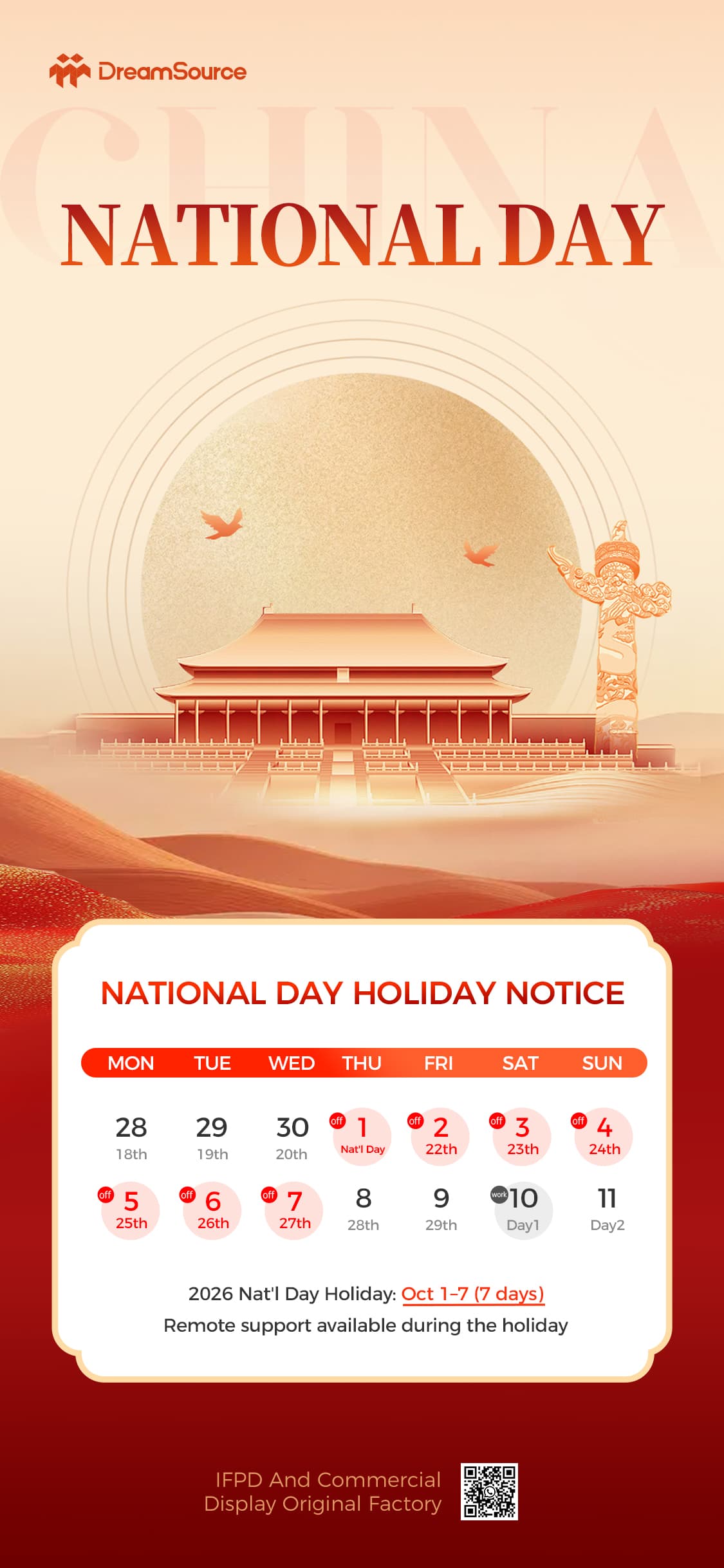
During the holiday period, offline factory production, on-site inspections, and regular shipment services will be temporarily suspended. If you have urgent order arrangements, delivery plans, or project confirmations, please complete relevant procedures in advance to avoid any schedule delays.
To ensure stable and uninterrupted service for our global clients, our sales and technical support teams will remain online standby throughout the holiday. You can reach us via email, WhatsApp, and other official channels for product consultation, technical guidance, order follow-up, and after-sales support. We will respond to your inquiries as promptly as possible.
As a professional manufacturer of commercial display solutions, Dreamsource Technology focuses on digital signage, floor-standing advertising machines, and interactive whiteboards. We always adhere to strict quality control, standardized production processes, and customer-oriented service concepts, providing reliable, cost-effective, and customized display products for global commercial, educational, municipal, and retail industries.
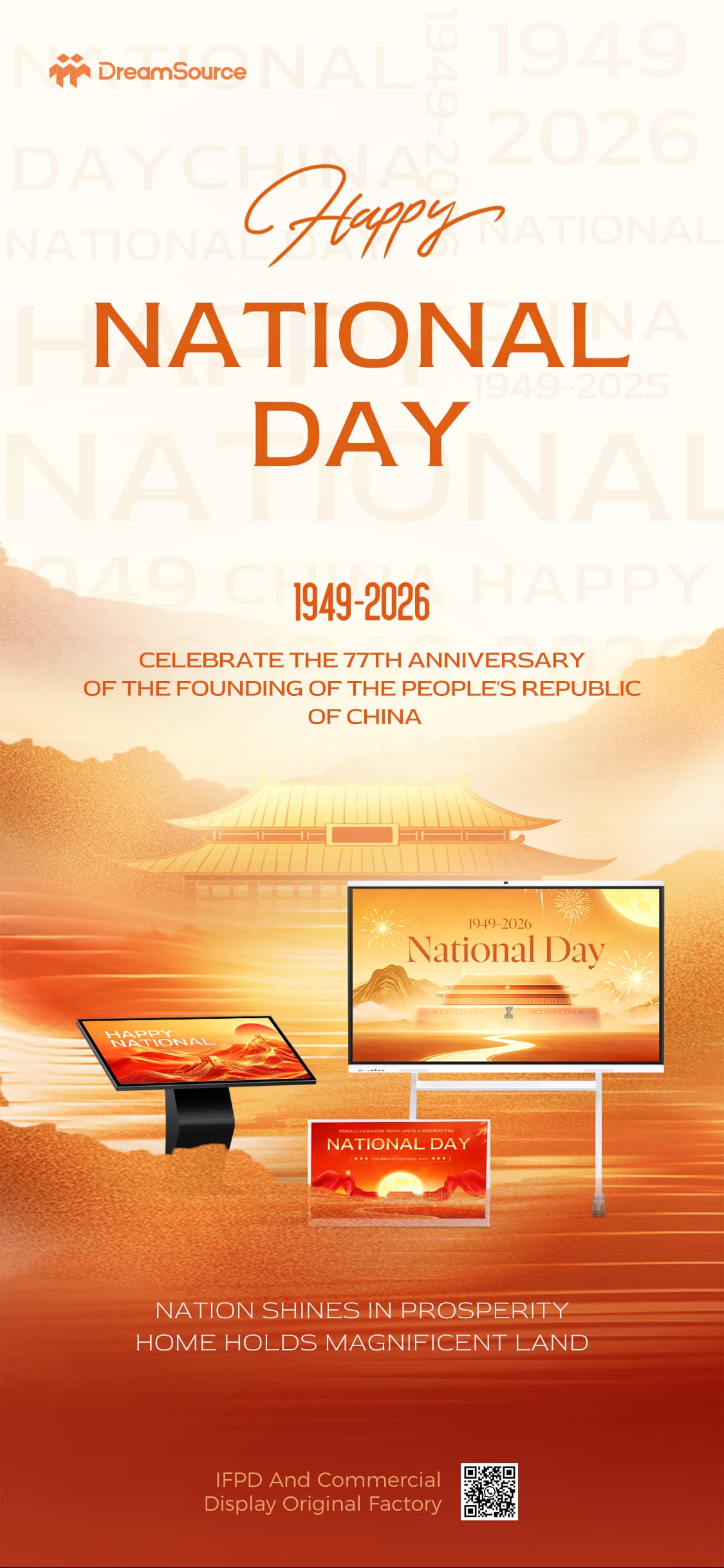
Holiday represents rest, harvest, and new beginnings. In the future, we will continue to optimize product performance, upgrade manufacturing technology, and improve global service systems to create greater value for every partner.
Wish you a joyful holiday, smooth work, and lasting prosperity in all your business endeavors!
Dear valued global customers and partners,
As the traditional Mid-Autumn Festival arrives, DreamSource Technology Group sincerely extends our warmest blessings and heartfelt thanks to all global clients and partners for your consistent trust and long-term cooperation.
To celebrate this reunion festival, we formally announce our 2026 Mid-Autumn holiday arrangement. Our office and factory will be closed from September 25 to September 27, and all daily operations, including production, shipment and offline services, will fully resume on September 28.
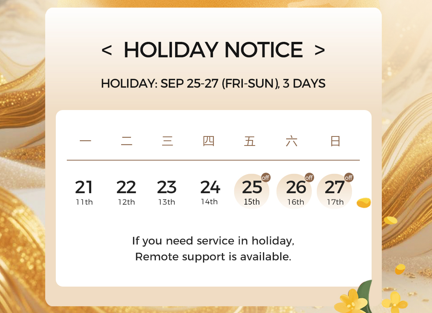
During the holiday period, on-site production and offline business processing will be suspended. Please arrange and confirm urgent orders, delivery plans and project matters in advance to avoid any delays. To guarantee uninterrupted service for our global partners, our team provides 24/7 remote online support. You can reach out via email and WhatsApp for product consultation, technical support, order follow-up and after-sales services, and we will respond promptly to your requests.
Founded in 2014, DreamSource is a professional one-stop LCD display solution manufacturer, specializing in digital signage and interactive whiteboards. Equipped with automated production lines, complete ISO, CE, FCC and RoHS certifications, we offer reliable products and flexible OEM/ODM customization services. Our products are widely applied in education, commercial, municipal, catering and transportation industries, serving over 60 countries worldwide with stable quality and professional global support systems.
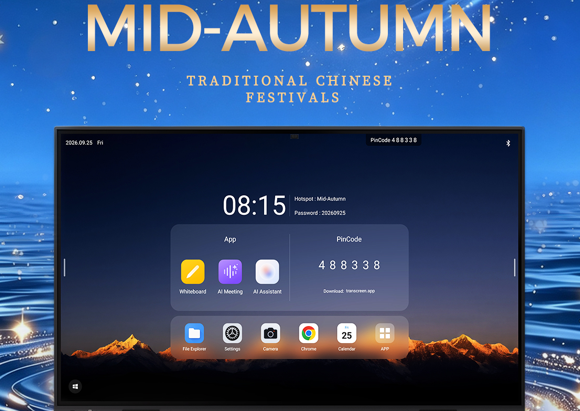
The full moon represents reunion, gratitude and steady progress. In the future, we will continue to insist on strict quality control, innovative technology and thoughtful service, striving to deliver high-quality commercial display solutions for every partner.
Wish you and your family a happy, healthy and prosperous Mid-Autumn Festival!
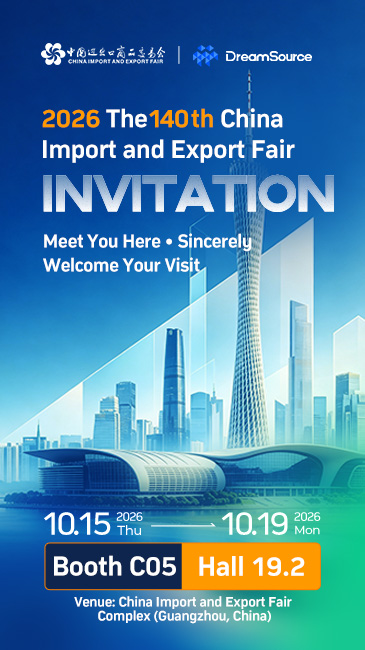
DreamSource Technology Group is pleased to announce its participation in the 140th China Import and Export Fair (Canton Fair 2026), taking place from October 15 to 19, 2026, at the China Import and Export Fair Complex in Guangzhou, China.
Under the theme “Meet Us at the Canton Fair – You’re Cordially Invited,” DreamSource sincerely welcomes customers, partners, distributors, and industry professionals from around the world to visit our booth, explore our latest products, and discuss new opportunities for cooperation.
DreamSource Technology Group specializes in the development and manufacturing of smart display terminals and commercial display solutions. With capabilities covering hardware R&D, motherboard development, smart manufacturing, solution integration, and global sales, we are committed to providing reliable and flexible display solutions for customers worldwide.
At the 140th Canton Fair, DreamSource will showcase three key product categories: Digital Signage, Interactive Whiteboards, and Smart Retail Terminals.
These products are developed for a wide range of applications, including retail, hospitality, education, corporate offices, advertising, public services, and other commercial environments.
Digital signage has become an important tool for modern businesses to deliver dynamic content and create engaging customer experiences.
At the exhibition, DreamSource will present a range of digital signage solutions suitable for retail stores, shopping malls, restaurants, hotels, transportation hubs, corporate buildings, and public spaces.
Our solutions combine high-definition displays with flexible hardware configurations, smart operating systems, and remote content management capabilities. With different screen sizes and touch options available, they can be adapted to various commercial applications, from advertising and digital menus to information displays and interactive communication.

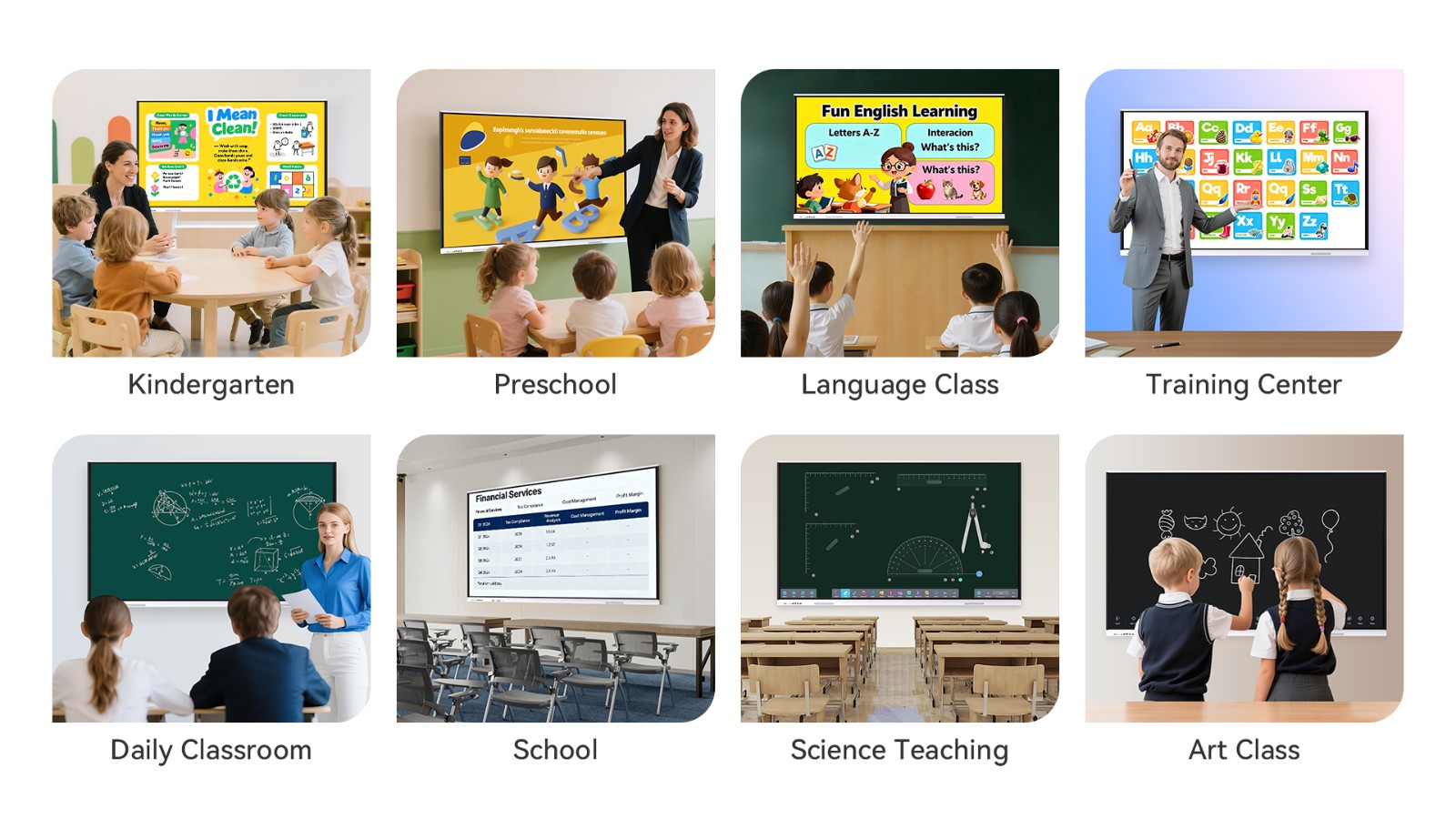
As digital education and smart workplaces continue to develop, interactive whiteboards are becoming an essential tool for modern classrooms and meeting environments.
DreamSource interactive whiteboards are designed to support teaching, presentations, video conferencing, brainstorming, and collaborative work. Large-format high-definition displays provide clear visual experiences, while touch technology enables intuitive interaction with digital content.
Whether used in schools, training centers, conference rooms, or corporate offices, our interactive display solutions help create more engaging learning and collaboration environments.
Visitors to our Canton Fair booth will have the opportunity to experience the interactive functions and learn more about customized solutions for different applications.
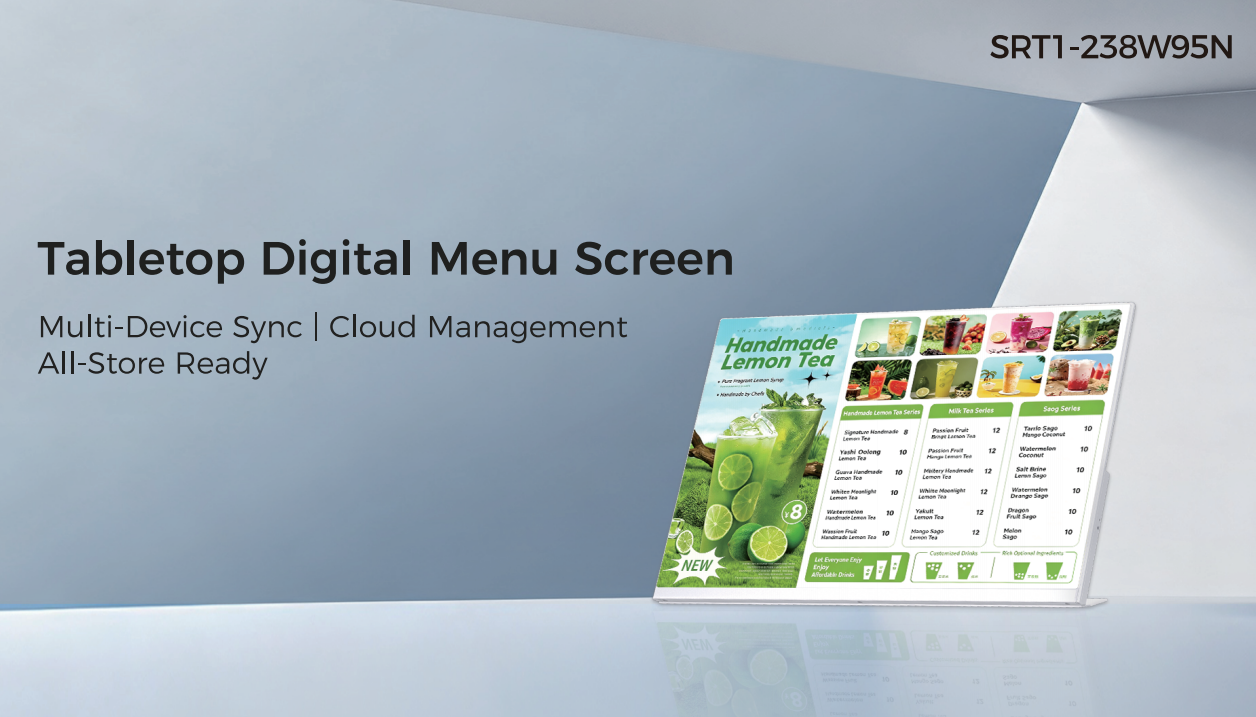
The rapid development of digital retail is creating new opportunities for intelligent display technology. Smart retail terminals can help businesses improve customer engagement, product presentation, and in-store communication.
DreamSource will showcase smart retail display solutions designed for retail stores, supermarkets, restaurants, cafés, shopping centers, and other commercial spaces.
By combining intelligent hardware, high-quality displays, interactive functions, and customized solutions, these terminals can support applications such as product information, promotional content, digital menus, self-service, and customer interaction.
The Canton Fair is an important platform for international businesses to discover innovative products, connect with manufacturers, and build long-term partnerships.
For DreamSource, the exhibition is an opportunity to meet customers face-to-face, understand the latest market demands, and introduce our smart display technologies to a global audience.
At our booth, visitors can discuss product specifications, application scenarios, OEM/ODM services, customization requirements, and business cooperation with our professional team.
Whether you are a distributor, importer, system integrator, project contractor, retailer, or technology solution provider, DreamSource looks forward to exploring new opportunities with you.
We warmly invite customers and guests from around the world to visit DreamSource Technology Group at the 140th Canton Fair 2026.
Come and experience our latest digital signage, interactive whiteboards, and smart retail terminals, discover new application possibilities, and connect with our team to explore potential cooperation.
Let’s meet in Guangzhou and explore the future of smart display technology together.
Date: October 15–19, 2026
Venue: China Import and Export Fair Complex, Guangzhou, China
Featured Products: Digital Signage | Interactive Whiteboards | Smart Retail Terminals
Booth: 19.2C05
Meet Us at the 140th Canton Fair.
You’re Cordially Invited!

Strictly speaking, these are two distinct products, though the industry often uses the terms interchangeably; what is commonly referred to as an ‘interactive whiteboard’ on the market today mostly refers to an interactive flat panel.
① Traditional Interactive Whiteboard (IWB)
Whiteboard panel + short-throw projector; a combination of two devices
A large touch-sensitive whiteboard that does not emit light itself and has no screen
The image is projected onto the whiteboard surface by a projector; touch operations are performed using fingers or an electromagnetic pen on the surface
Components: Projector + sensor-equipped whiteboard panel + computer
Disadvantages: Projector bulb wear and tear, sensitivity to strong light, shadows, low brightness, and complex cabling.
② Interactive Flat Panel (IFP), also known as an interactive smart panel or meeting panel
The unit comes with a built-in LCD screen; the screen emits light itself, with the touch layer superimposed on the LCD screen, forming an all-in-one design
Components: Display + touch panel + Android operating system; supports OPS module installation for Windows
No external projector required; high brightness; not affected by ambient light, such as Dreamsource’s interactive flat panel products.
Comparison Item | Projector based Interactive Whiteboard (IWB) | Interactive Flat Panel (IFP) |
Hardware Structure | Split type system: three separate devices including sensing whiteboard panel, ultra short throw projector and external PC | All in one unit: integrated LCD display + touch frame + built in Android OS, optional plug gable OPS Windows module |
Display Principle | Projector casts image onto whiteboard surface. The board only acts as projection screen without self illumination | Self illuminated LCD backlight panel, no projector required; supports 4K high definition output |
Touch Principle | Infrared matrix around whiteboard border. Touch coordinates are transmitted via USB to external PC for calculation | Infrared light grid around display glass. Touch coordinates are processed locally by built in Android or OPS PC inside the unit |
Ambient Light Adaptation | ❌ Poor. Curtains and dimmed room lighting are mandatory. Hand/body shadows block content during writing | ✅ Excellent. 350 500nit brightness. Clear visibility under bright classroom & meeting room lighting without dimming lights |
Maintenance Requirements | Periodic projector lamp replacement; touch recalibration after repositioning; multiple cables with high potential failure points | Virtually maintenance free; no lamp consumables; no recalibration needed for fully bonded models; simple wiring with only power cable |
Applicable Scenarios | 1. Extremely limited one time budget | 1. Daily used classrooms, corporate meeting & training rooms |
2. Low frequency temporary training rooms | 2. Hybrid remote meetings & multi person collaborative annotation | |
3. Legacy classroom retrofit with existing PCs | 3. Exhibition & display for long term stable operation | |
4. Extra large size above 120” | 4. All in one functions: wireless casting, screen recording & video conference | |
Not Recommended For | Bright sunlit classrooms; high frequency daily teaching & meetings; sites without dedicated maintenance staff | Ultra large sizes over 110”; projects with extremely tight CAPEX budget |
Typical Products | Dreamsource |
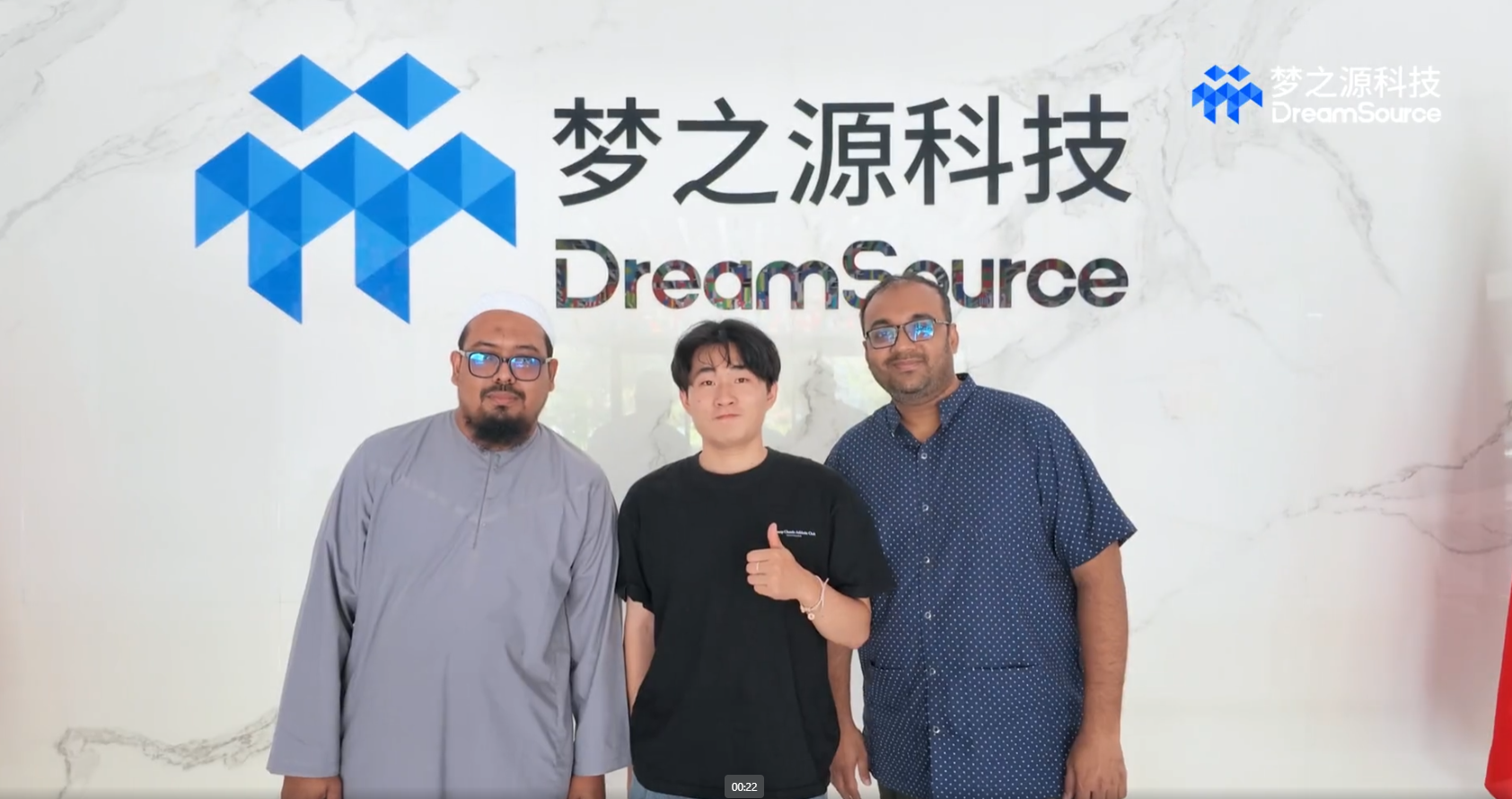
DreamSource Technology recently welcomed an important customer delegation from Bangladesh for an in-depth visit to our company. The visit provided an excellent opportunity for the customer to gain a closer understanding of DreamSource's manufacturing capabilities, product portfolio, quality management, and professional team.
During the visit, the delegation was warmly received by DreamSource's Sales Director and Business Manager. The team accompanied the customer throughout the factory tour and introduced our production facilities, manufacturing processes, quality control procedures, and overall business capabilities.
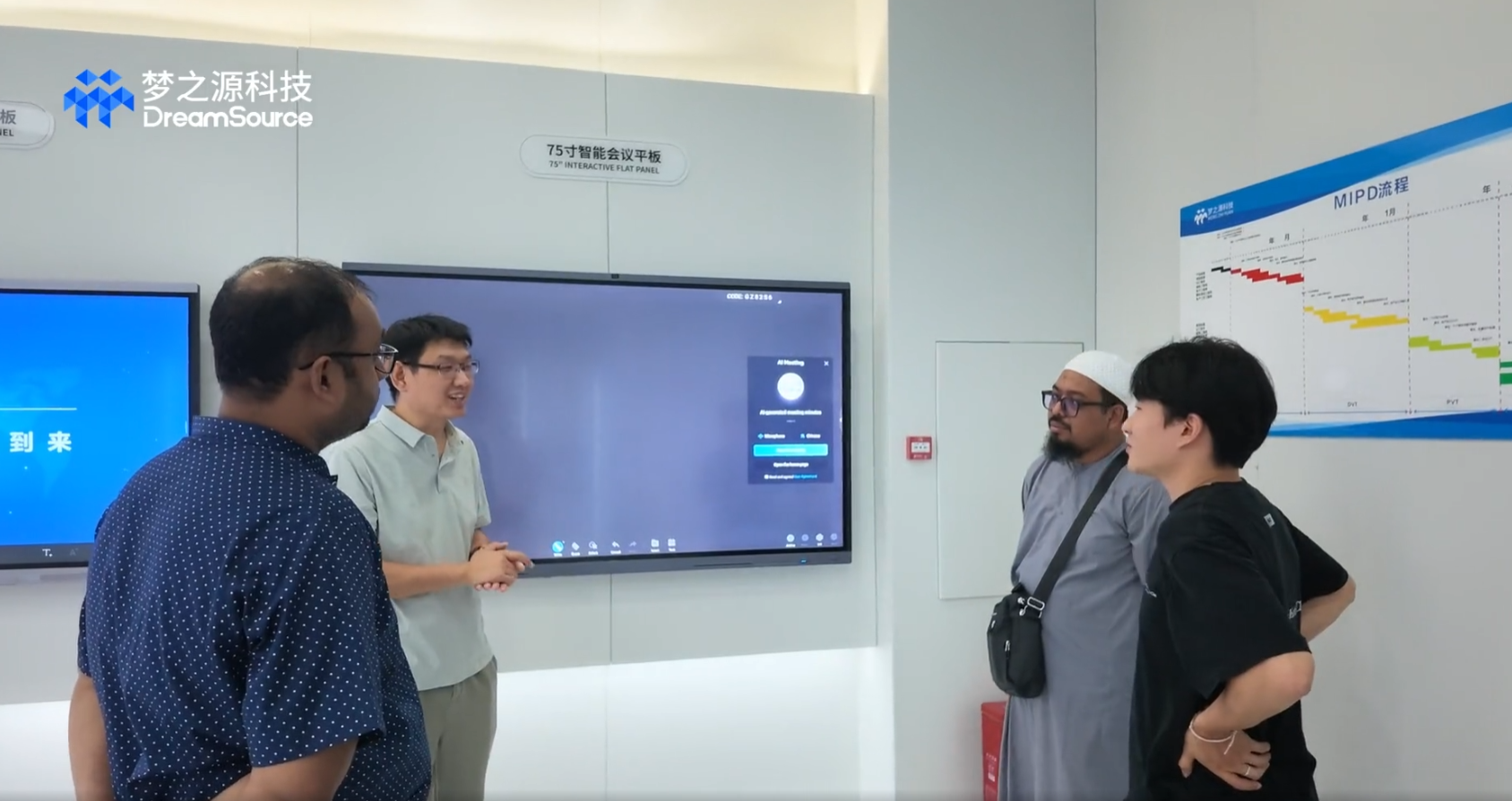
A key part of the visit focused on DreamSource's core products, including Interactive Flat Panels for Education and Conference, as well as a range of Digital Signage solutions. The customer experienced our products firsthand and explored their applications in classrooms, meeting rooms, corporate environments, retail spaces, and other commercial scenarios.
Our Interactive Flat Panel solutions are designed to support smarter communication and collaboration. For education, interactive displays help create more engaging and efficient learning environments. For business and conference applications, they enable wireless collaboration, digital whiteboarding, content sharing, and more productive meetings.
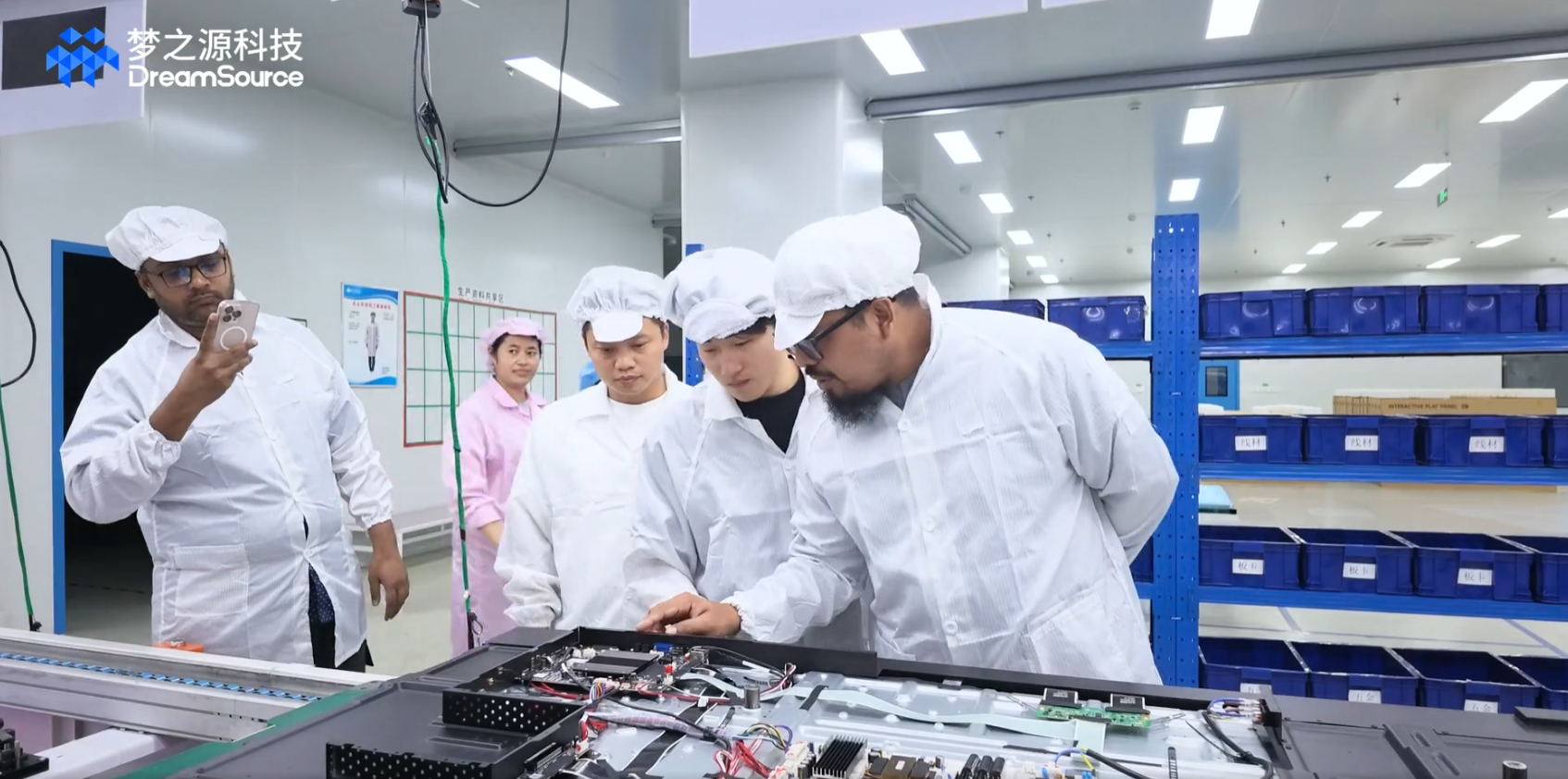
During the product demonstration, the Bangladesh customer also discussed product specifications, customization requirements, software functions, and potential market opportunities with our team. The face-to-face communication helped both sides develop a deeper understanding of each other's needs and expectations.
As a professional manufacturer of smart display solutions, DreamSource integrates product design, hardware R&D, manufacturing, and global sales. With extensive experience in Interactive Flat Panel and Digital Signage solutions, we are committed to delivering reliable products and flexible customization services to customers worldwide.
The successful visit strengthened mutual trust between DreamSource and our Bangladesh customer and laid a solid foundation for future cooperation.
DreamSource looks forward to working with more global partners to explore new opportunities in the growing market for Interactive Flat Panels, smart education displays, conference solutions, and Digital Signage.
DreamSource — Your Reliable Partner for Interactive Flat Panel and Digital Signage Solutions.

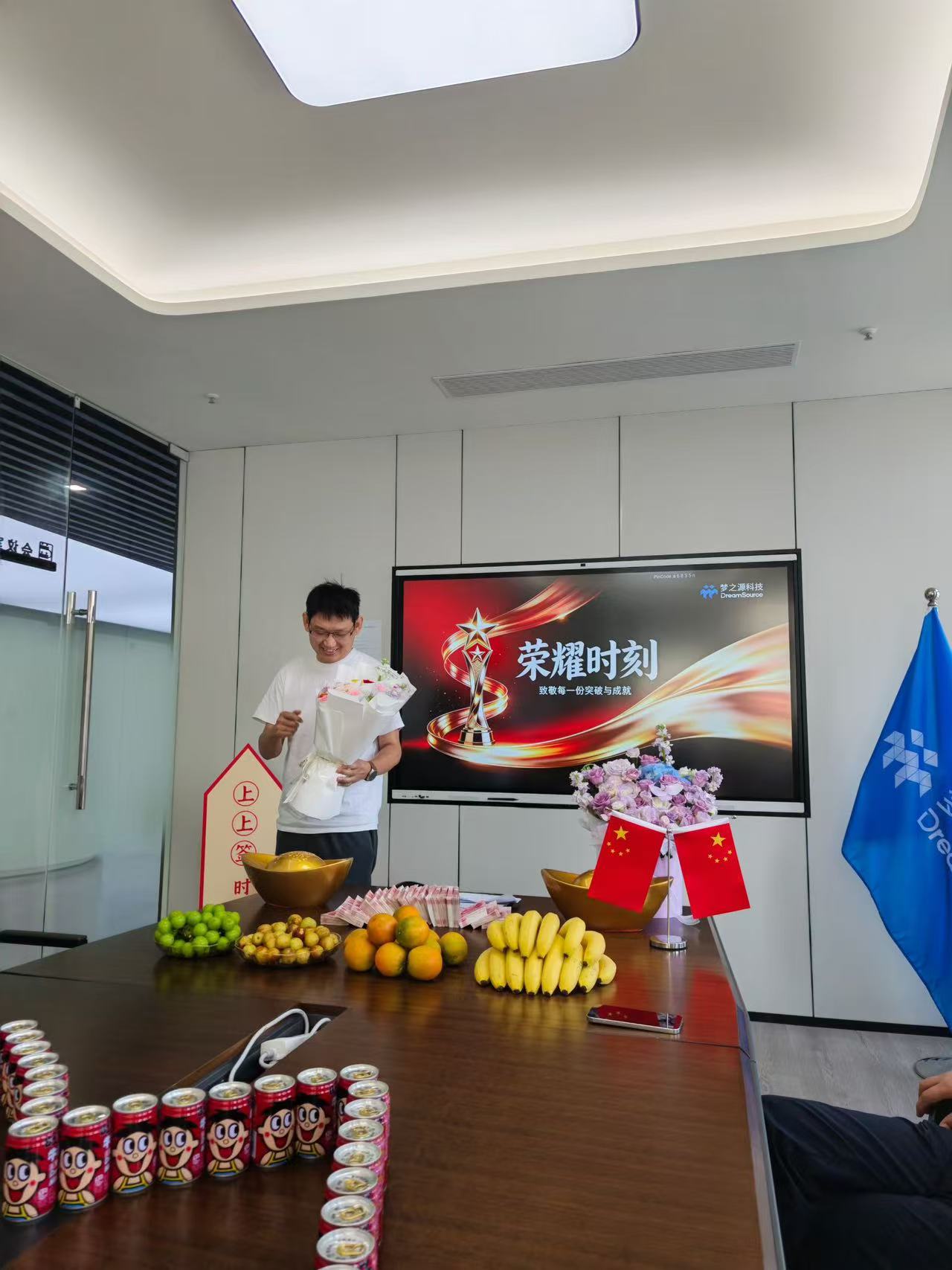
Recently, Dreamsource Technology has held a special sales performance recognition ceremony to celebrate and reward the sales team for successfully completing phased sales targets. The company fully affirmed the team’s outstanding achievements in the global commercial display industry, especially in the market promotion and project landing of digital signage and interactive flat panel display products, inspiring all staff to keep striving for greater market breakthroughs.
The recognition ceremony was warmly and solemnly arranged with a themed honor screen, decorative flowers and festive ornaments, creating a positive and encouraging corporate atmosphere. At the event, the company delivered sincere compliments and tangible rewards to outstanding sales members, acknowledging their diligent efforts in global market expansion, professional customer service, and one-stop project implementation for core product lines. Every remarkable sales result is rooted in the team’s persistent exploration, efficient collaboration and dedicated service.
As a professional manufacturer and supplier focusing on commercial display solutions, Dreamsource Technology has long been deeply engaged in the R&D, production and sales of digital signage and interactive flat panel display. In the face of increasingly fierce global market competition, the sales team has always maintained a positive entrepreneurial attitude, actively expanded overseas emerging markets and mature markets, accurately explored diversified customer needs from various industries.
Our core products including smart digital signage and high-performance interactive flat panel display have been widely applied in education, corporate office, retail, transportation, exhibition and other scenarios, winning high recognition and stable trust from global customers. With reliable product quality and professional service capabilities, the sales team has delivered an impressive market performance and consolidated the company’s competitive advantages in the global smart commercial display field.
Recognition is not the end, but a new starting point for continuous progress. The company highly appreciates the sales team’s hard work and enterprising spirit, and encourages all sales elites to take this honor as motivation, maintain a modest and progressive attitude, and make persistent efforts in subsequent market operations.
In the future, Dreamsource Technology will continue to focus on product iteration and technological upgrading of digital signage and interactive flat panel display, continuously optimize product performance, enrich functional scenarios, and enhance core product competitiveness. Meanwhile, the company will further improve the incentive mechanism for sales teams, fully empower front-line market expansion work.
Going forward, all members of Dreamsource Technology will unite as one, seize market development opportunities, continuously explore new global markets, expand customer resources, and create more outstanding achievements in the field of smart commercial displays, writing a new chapter for the company’s high-quality global development.
The main reasons why standard domestic televisions are more prone to screen burn-in or image retention than commercial digital signage lie in differences in the choice of hardware materials, dynamic content design, and industrial-grade anti-ageing technology:
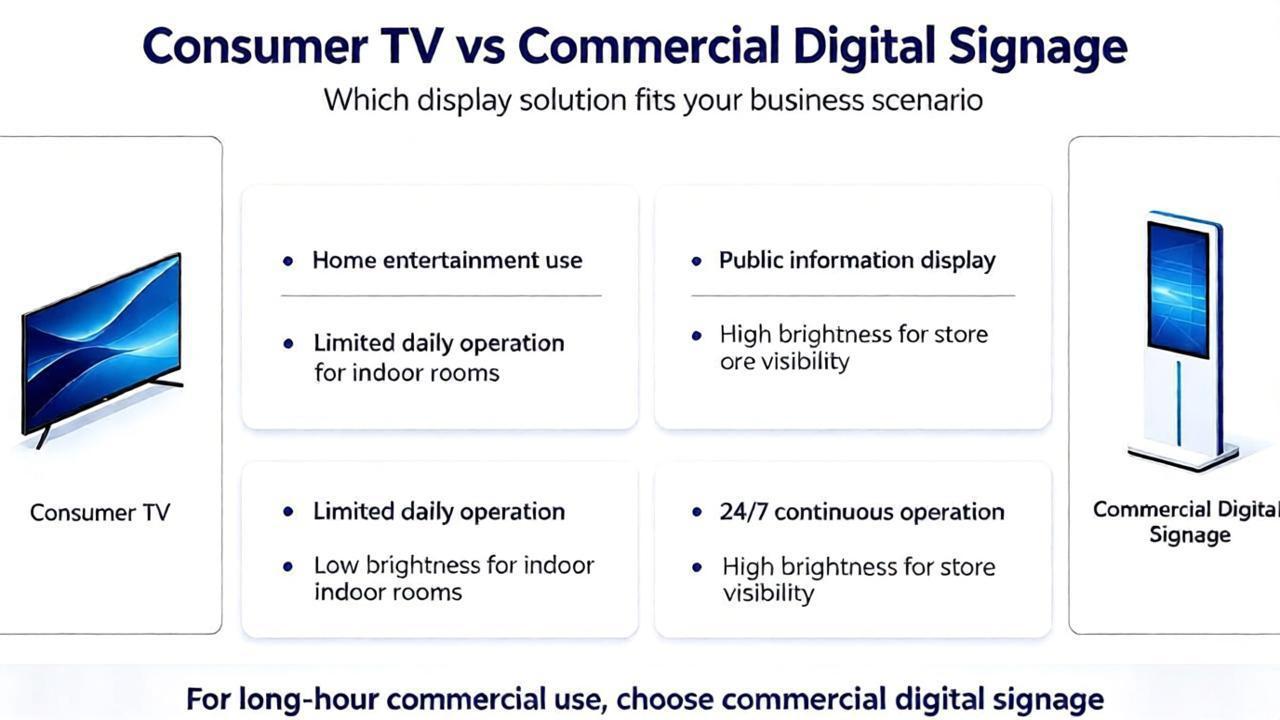
*Differences in core hardware and materials
Differences in display panels:Commercial digital signage predominantly utilises LCD (liquid crystal display) or direct-view LED screens. As liquid crystal molecules do not emit light themselves and rely on a backlight module to function, they do not suffer from permanent organic degradation caused by specific pixels emitting light at high intensity over prolonged periods, as is the case with self-emissive materials. Even when high-end digital signage employs OLED technology, industrial-grade panels with longer lifespans and superior heat dissipation are selected.
Trends in Domestic Televisions: In pursuit of ultimate colour contrast and ultra-slim profiles, domestic televisions are increasingly adopting self-emissive OLED (organic EL) panels. The lifespan of OLED’s organic light-emitting materials diminishes with use; displaying a fixed image in a specific area for extended periods (such as a station logo, news ticker or game UI) can cause premature ageing of the pixels in that area.
*Content Mechanisms and Usage Scenarios
Dynamic Content:
Content displayed on digital signage is typically professionally curated and includes frequently changing videos, scrolling captions, full-screen dynamic advertisements or scheduled image rotations; it is extremely rare for a single pixel to remain in a static, high-brightness state for an extended period.
Poor Habits in Home Use: Home televisions are frequently exposed to high-risk static scenarios, such as being locked onto a channel with a fixed logo for extended periods, watching old 4:3 films with black bars, playing games featuring static health bars or maps, or being left switched on for hours with a static image.
*Industrial-Grade Protection and Design
Heat Dissipation and Lifespan Redundancy:
As professional commercial equipment, digital signage features a more robust internal heat dissipation structure, more conservative peak brightness limits, and industrial-grade power management circuits, which significantly slow down degradation caused by thermal stress.
Automatic Software Protection:
Digital signage systems typically enforce built-in anti-burn-in strategies (such as pixel micro-shifting and timed black screen refreshes).
Whilst home OLED televisions also feature a [pixel cleaning] function, some users may disable this feature or habitually switch off the mains power, preventing the device from automatically performing screen maintenance whilst in standby mode.
Clear Cache: Prolonged operation can lead to insufficient memory; it is recommended to regularly clear system junk or schedule automatic restarts.
Check Environment: Verify that the cooling environment surrounding the device is adequate, as excessive temperatures can trigger the system's self-protection mechanisms.
Unstable Voltage: Check if the power supply voltage is stable; low voltage levels can frequently cause the device to restart.
Check Cables: Verify whether the internal or external USB touch cables and serial cables within the advertising display unit are loose or disconnected.
Power Supply: Some large-format touch frames require an independent power source; check to ensure the power adapter is securely plugged in.
Driver Issues: Restart the device, or check the Device Manager in the system backend to verify that the touch driver is functioning correctly.
Yes. By utilizing the configured content management system, you can log in to the backend via a computer or mobile device to centrally create and upload playlists, and then distribute them to multiple advertising displays, thereby enabling remote batch updates.


 Building C27,Beidou Industrial Park,No.50 Wutong Street,High-tech Zone,Zhengzhou City,Henan Province,450001 P.R.China

