.png)
.png)
.png)
.png)

26-08-24Are interactive whiteboards and interactive flat panels the same product?
Are interactive whiteboards and interactive flat p ...
Read More
未能查询到您想要的文章
Are interactive whiteboards and interactive flat p ...
Why are standard domestic televisions more prone t ...
Clear Cache: Prolonged operation can lead to insuf ...
Check Cables: Verify whether the internal or exter ...
Yes. By utilizing the configured content managemen ...
Precise Placement: Position the units in high-traf ...
A standard television supports only one-way playba ...

Strictly speaking, these are two distinct products, though the industry often uses the terms interchangeably; what is commonly referred to as an ‘interactive whiteboard’ on the market today mostly refers to an interactive flat panel.
① Traditional Interactive Whiteboard (IWB)
Whiteboard panel + short-throw projector; a combination of two devices
A large touch-sensitive whiteboard that does not emit light itself and has no screen
The image is projected onto the whiteboard surface by a projector; touch operations are performed using fingers or an electromagnetic pen on the surface
Components: Projector + sensor-equipped whiteboard panel + computer
Disadvantages: Projector bulb wear and tear, sensitivity to strong light, shadows, low brightness, and complex cabling.
② Interactive Flat Panel (IFP), also known as an interactive smart panel or meeting panel
The unit comes with a built-in LCD screen; the screen emits light itself, with the touch layer superimposed on the LCD screen, forming an all-in-one design
Components: Display + touch panel + Android operating system; supports OPS module installation for Windows
No external projector required; high brightness; not affected by ambient light, such as Dreamsource’s interactive flat panel products.
Comparison Item | Projector based Interactive Whiteboard (IWB) | Interactive Flat Panel (IFP) |
Hardware Structure | Split type system: three separate devices including sensing whiteboard panel, ultra short throw projector and external PC | All in one unit: integrated LCD display + touch frame + built in Android OS, optional plug gable OPS Windows module |
Display Principle | Projector casts image onto whiteboard surface. The board only acts as projection screen without self illumination | Self illuminated LCD backlight panel, no projector required; supports 4K high definition output |
Touch Principle | Infrared matrix around whiteboard border. Touch coordinates are transmitted via USB to external PC for calculation | Infrared light grid around display glass. Touch coordinates are processed locally by built in Android or OPS PC inside the unit |
Ambient Light Adaptation | ❌ Poor. Curtains and dimmed room lighting are mandatory. Hand/body shadows block content during writing | ✅ Excellent. 350 500nit brightness. Clear visibility under bright classroom & meeting room lighting without dimming lights |
Maintenance Requirements | Periodic projector lamp replacement; touch recalibration after repositioning; multiple cables with high potential failure points | Virtually maintenance free; no lamp consumables; no recalibration needed for fully bonded models; simple wiring with only power cable |
Applicable Scenarios | 1. Extremely limited one time budget | 1. Daily used classrooms, corporate meeting & training rooms |
2. Low frequency temporary training rooms | 2. Hybrid remote meetings & multi person collaborative annotation | |
3. Legacy classroom retrofit with existing PCs | 3. Exhibition & display for long term stable operation | |
4. Extra large size above 120” | 4. All in one functions: wireless casting, screen recording & video conference | |
Not Recommended For | Bright sunlit classrooms; high frequency daily teaching & meetings; sites without dedicated maintenance staff | Ultra large sizes over 110”; projects with extremely tight CAPEX budget |
Typical Products | Dreamsource |
The main reasons why standard domestic televisions are more prone to screen burn-in or image retention than commercial digital signage lie in differences in the choice of hardware materials, dynamic content design, and industrial-grade anti-ageing technology:
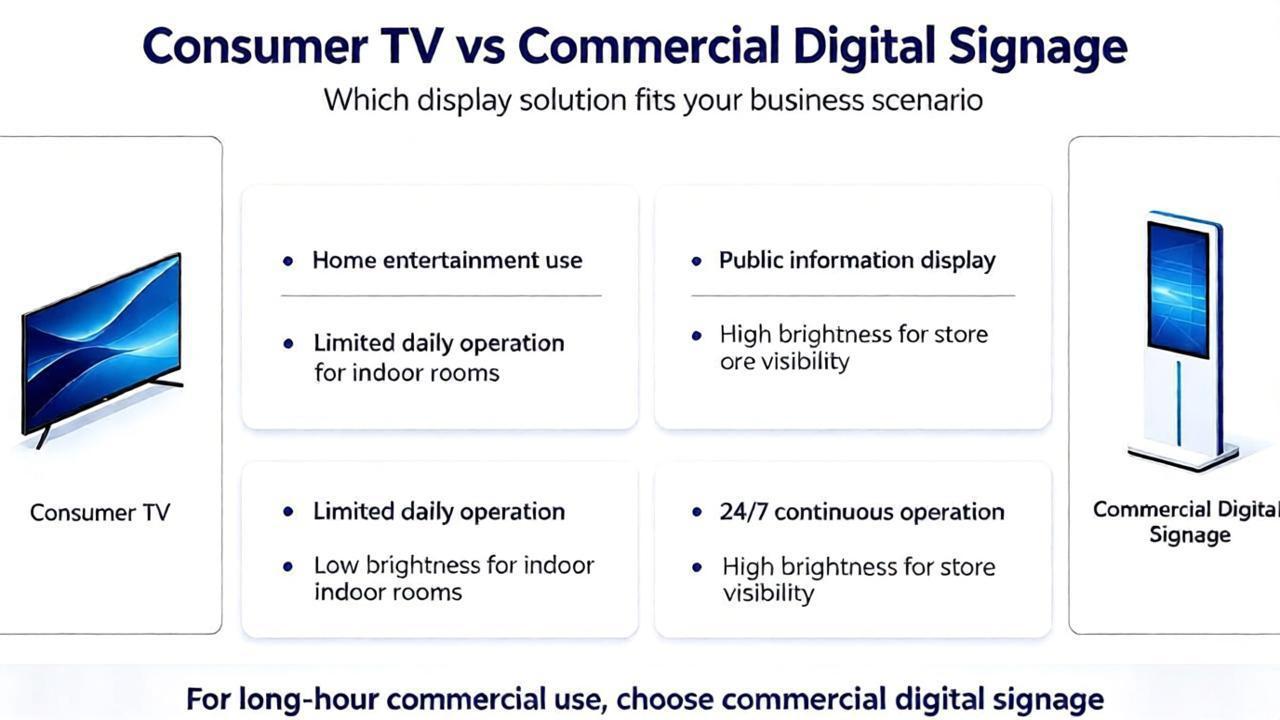
*Differences in core hardware and materials
Differences in display panels:Commercial digital signage predominantly utilises LCD (liquid crystal display) or direct-view LED screens. As liquid crystal molecules do not emit light themselves and rely on a backlight module to function, they do not suffer from permanent organic degradation caused by specific pixels emitting light at high intensity over prolonged periods, as is the case with self-emissive materials. Even when high-end digital signage employs OLED technology, industrial-grade panels with longer lifespans and superior heat dissipation are selected.
Trends in Domestic Televisions: In pursuit of ultimate colour contrast and ultra-slim profiles, domestic televisions are increasingly adopting self-emissive OLED (organic EL) panels. The lifespan of OLED’s organic light-emitting materials diminishes with use; displaying a fixed image in a specific area for extended periods (such as a station logo, news ticker or game UI) can cause premature ageing of the pixels in that area.
*Content Mechanisms and Usage Scenarios
Dynamic Content:
Content displayed on digital signage is typically professionally curated and includes frequently changing videos, scrolling captions, full-screen dynamic advertisements or scheduled image rotations; it is extremely rare for a single pixel to remain in a static, high-brightness state for an extended period.
Poor Habits in Home Use: Home televisions are frequently exposed to high-risk static scenarios, such as being locked onto a channel with a fixed logo for extended periods, watching old 4:3 films with black bars, playing games featuring static health bars or maps, or being left switched on for hours with a static image.
*Industrial-Grade Protection and Design
Heat Dissipation and Lifespan Redundancy:
As professional commercial equipment, digital signage features a more robust internal heat dissipation structure, more conservative peak brightness limits, and industrial-grade power management circuits, which significantly slow down degradation caused by thermal stress.
Automatic Software Protection:
Digital signage systems typically enforce built-in anti-burn-in strategies (such as pixel micro-shifting and timed black screen refreshes).
Whilst home OLED televisions also feature a [pixel cleaning] function, some users may disable this feature or habitually switch off the mains power, preventing the device from automatically performing screen maintenance whilst in standby mode.
Clear Cache: Prolonged operation can lead to insufficient memory; it is recommended to regularly clear system junk or schedule automatic restarts.
Check Environment: Verify that the cooling environment surrounding the device is adequate, as excessive temperatures can trigger the system's self-protection mechanisms.
Unstable Voltage: Check if the power supply voltage is stable; low voltage levels can frequently cause the device to restart.
Check Cables: Verify whether the internal or external USB touch cables and serial cables within the advertising display unit are loose or disconnected.
Power Supply: Some large-format touch frames require an independent power source; check to ensure the power adapter is securely plugged in.
Driver Issues: Restart the device, or check the Device Manager in the system backend to verify that the touch driver is functioning correctly.
Yes. By utilizing the configured content management system, you can log in to the backend via a computer or mobile device to centrally create and upload playlists, and then distribute them to multiple advertising displays, thereby enabling remote batch updates.
Precise Placement: Position the units in high-traffic areas—such as main thoroughfares or elevator lobbies—where footfall is heavy or the target audience is concentrated. Intuitive Content: Customize the interface to suit specific needs; if promoting products, highlight key selling points and supplement them with animated videos. Data Analysis: Leverage the backend system to track user click-through rates and browsing preferences, using this data to inform and refine your marketing strategies.
A standard television supports only one-way playback. In contrast, an interactive advertising display is equipped with a commercial-grade motherboard, a touchscreen, and an interactive operating system (such as Android or Windows), enabling users to engage in two-way interaction—such as tapping or swiping—to access information, look up directions, play games, or retrieve vouchers.


 Building C27,Beidou Industrial Park,No.50 Wutong Street,High-tech Zone,Zhengzhou City,Henan Province,450001 P.R.China

